Products » Video Matrix Switches » VGA Video Matrix Switch
Firmware files for VGA Video Matrix Switches
Product firmware updates, file upgrades, release notes.
Also known as: Video Matrix Switch, VGA video switcher router 2x2 4x4 8x8 multiple monitors many computers
Talk to a live agent
Phone available
8am-6pm EST
VGA Video Matrix Switches
Firmware Files for the VEEMUX Video Matrix Switches
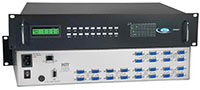
SM-16X8-15V-LCD
VEEMUX® SM-nXm-15V-LCD - The video matrix switch routes
video from many computers to multiple displays (projectors, monitors, etc.) This switch can drive standard VGA cables, thus
eliminating the need for external interfaces and coax cable connections via BNC connectors.
Signals from a range of input sources can be distributed to various output devices, in essence creating a "matrix" pattern of interconnection possibilities. A single computer video output can be routed to one or more monitors. Each image will be as crisp and clear as if directly connected to the original source. Each video output is buffered from each input, insuring signal integrity throughout the system.
Signals from a range of input sources can be distributed to various output devices, in essence creating a "matrix" pattern of interconnection possibilities. A single computer video output can be routed to one or more monitors. Each image will be as crisp and clear as if directly connected to the original source. Each video output is buffered from each input, insuring signal integrity throughout the system.
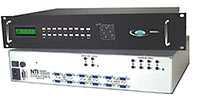
SM-8X8-AV-LCD
VEEMUX® SM-nXm-AV-LCD - The audio/video matrix switch routes audio and video
input from many computers to multiple displays (projectors, monitors, etc.) and speakers. This switch can drive standard VGA cables,
thus eliminating the need for external interfaces and coax cable connections via BNC connectors.
Downloads & References
NOTICE: Firmware File updates are for all SM-nXm-15V-LCD and SM-nXm-AV-LCD units.
The SM-nXm-15V-LC models DO NOT utilize the Firmware Files.
The SM-nXm-15V-LC models DO NOT utilize the Firmware Files.
| Firmware Version | Firmware Download | Release Notes | Release Date |
|---|---|---|---|
| 2.3 | sm-nxm-15v-av-lcd_v2-3.bin (8.4 MB) |
sm-nxm-15v-av-lcd-rls |
2025-11-10 |
| 2.2 | sm-nxm-15v-av-lcd_v2-2.bin (8.4 MB) |
2021-01-04 | |
| 2.0 | sm-nxm-15v-av-lcd_v2-0.bin (8.4 MB) |
2015-03-18 |
NOTE: The firmware can only be used when current firmware version is 2.0 or higher. If the current firmware version is below v2.0, the device is using different hardware and cannot run this firmware.
To download Firmware updates, right click the update link and select 'Save Link As' or 'Save Target As'. Make sure that the file is saved with the correct file extension.
To download Firmware updates, right click the update link and select 'Save Link As' or 'Save Target As'. Make sure that the file is saved with the correct file extension.
| Firmware Version | Firmware Download | Release Notes | Release Date |
|---|---|---|---|
| 1.20 | v1-20.bin (648 KB) |
veemux-eth-ctrl-r (3 KB) |
2013-03-27 |
Note: To download Firmware updates, right click the update link and select
'Save Link As' or 'Save Target As'. Make sure that the file is saved with the correct file extension.
| LCD Version | LCD Download | Release Notes | Release Date |
|---|---|---|---|
| 1.2 | rmtlcd_va_1_2.hex (91 KB) |
video-matrix-rmtlcd-v1-2-releasenotes (1 KB) |
2007-06-19 |
Note: Ethernet Control Firmware Version 1.16 must be downloaded and installed prior to downloading and installing Front Panel LCD Firmware Version 1.2.
| Program Version | Program Download | Installation Instructions | Release Notes | Release Date |
|---|---|---|---|---|
| 3.2 | setup.zip (1.3 MB) |
switch-control-program-install.txt (1K) |
switch-control-program-rls (1 KB) |
switch-control-program-rls (1 KB) |
| Discovery Tool Version | Discovery Tool Zip File Download | Release Date |
|---|---|---|
| 1.0 | discovery.zip (145 KB) |
2014-01-31 |
Network Technologies Inc |
 |