KVM Server Switch
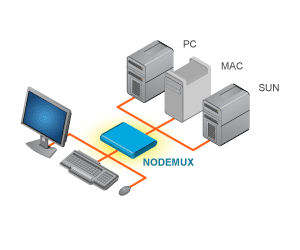 |
A single-user KVM Switch allows one user to control multiple computers with one keyboard, monitor and mouse. A KVM matrix switch allows multiple users to individually command or simultaneously share many computersAlso known as: KVM Switches, server switcher, keyboard monitor mouse switch, PS2 switch, Mac switch, HDMI DisplayPort USB KVM Switch, multi-user VGA KVM, USB matrix switcher. |
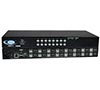
4K 18GB HDMI USB KVM Switch: 4-, 8-, 16-, 24- and 32-Port
$1,115 - $4,125Part #: UNIMUX-HD4K18GB-xxThe UNIMUX™ 4K 18Gbps HDMI USB KVM Switch allows a user to control up to 32 HDMI 2.0 Ultra-HD 4Kx2K 60Hz 4:4:4 USB computers with one USB keyboard, USB mouse, and 4K HDMI monitor. |
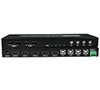
Low-Cost 4K 18Gbps HDMI USB KVM Switch: 2- and 4-Port
$175 - $235Part #: UNIMUX-HD4K18GB-xLCThe UNIMUX™ 4K 18Gbps HDMI USB KVM Switch allows a user to control up to four HDMI 2.0 Ultra-HD 4Kx2K 60Hz 4:4:4 USB computers with one USB keyboard, USB mouse, and 4K HDMI monitor. |
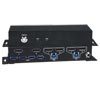
2-Port Dual Monitor 4K DisplayPort USB KVM Switch with Built-In USB 3.2 Hub
$315Part #: UNIMUX-DP4K-2DHThe UNIMUX™ Dual Monitor 4K DisplayPort USB KVM Switch with Built-In USB 3.2 Hub allows a user to control up to two dual-head Ultra-HD 4Kx2K 60Hz 4:4:4 USB computers with one USB keyboard, USB mouse and two 4K DisplayPort monitors. |
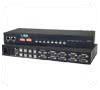
VGA USB KVM Switch
$595 - $4,225Part #: UNIMUX-USBV-xxThe UNIMUX™ VGA USB KVM switch allows a user to control up to 32 USB computers with one USB keyboard, USB mouse and VGA monitor. |
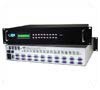
VGA USB Multi-User Matrix Switch
$1,735 - $5,915Part #: UNIMUX-nXm-UThe UNIMUX™ VGA USB Matrix KVM switch allows up to eight users to individually command or simultaneously share up to 32 USB computers. |
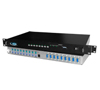
VGA PS/2 KVM Switch, 2-Port
$210Part #: KEEMUX-P2KEEMUX™ VGA PS/2 KVM switch allows one keyboard, monitor and mouse to control two PCs. |
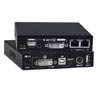
DVI USB/PS2 KVM over IP – Remote Server Management
$720Part #: INTERMUX-KVMDUPIPThe INTERMUX™ DVI USB KVM on IP™ device is used to control one or many computers locally at the server site or remotely via the Internet using a standard browser. Securely gain BIOS level access to systems for maintenance, support, or failure recovery over the Internet. Communication is secure and can be used in conjunction with a KVM switch for multipleserver access. |
KVM Switch with Built-In Multiviewer
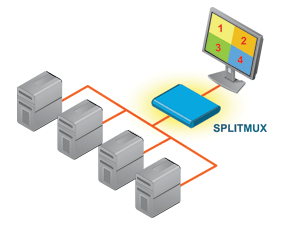
Switch to and control any of the four computers while monitoring the other three connections in real time.
4K 18Gbps HDMI USB KVM Switch with Built-In Quad Screen Multiviewer
$2,715 - $5,430The SPLITMUX® 4K 18Gbps HDMI USB KVM Switch with Built-In Quad Screen Multiviewer allows video from four different HDMI 2.0 Ultra-HD 4Kx2K 60Hz computers to be simultaneously displayed on a single monitor. Additionally, it can switch one of the four attached computers to a shared keyboard and mouse for operation and to two additional USB devices. It is capable of displaying the HDMI 2.0 video signals in quad, PiP, full, or custom mode. The multiviewer supports input/output resolutions up to Ultra-HD 4Kx2K (3840x2160 and 4096x2160 @24/30/60Hz YUV 4:4:4) in all display modes with independent video in to video out resolution. |
Network Technologies Inc |
 |