4K 18Gbps HDMI USB KVM Switch: 4-, 8-, 16-, 24- and 32-Port
Control up to 32 Ultra-HD 4Kx2K 60Hz HDMI USB computers from one USB keyboard, USB mouse, and 4K HDMI monitor
Also known as: 4Kx2K HDMI USB KVM Switch, UHD server switcher, one user keyboard monitor mouse controls many Ultra-HD computers
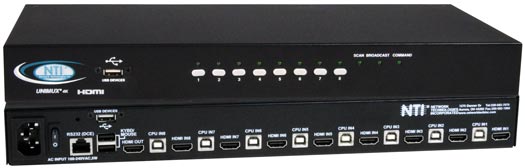
Product Highlights
- Resolutions to Ultra-HD 4Kx2K 60Hz 4:4:4
- 18 Gbps
- HDMI 2.0, USB 2.0


Additional Images
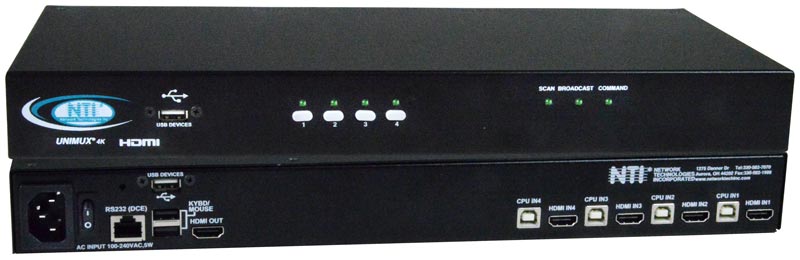
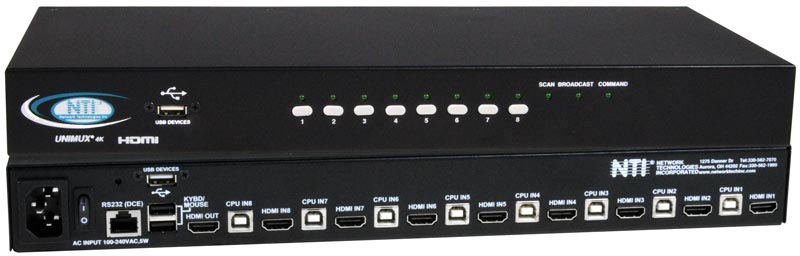
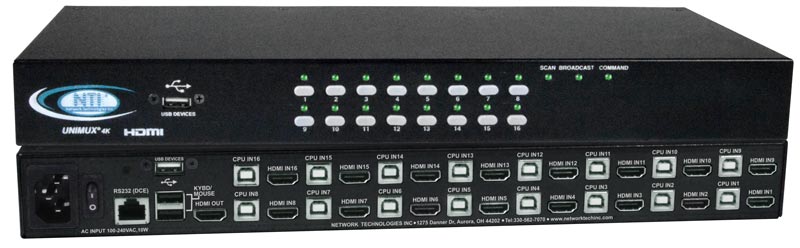
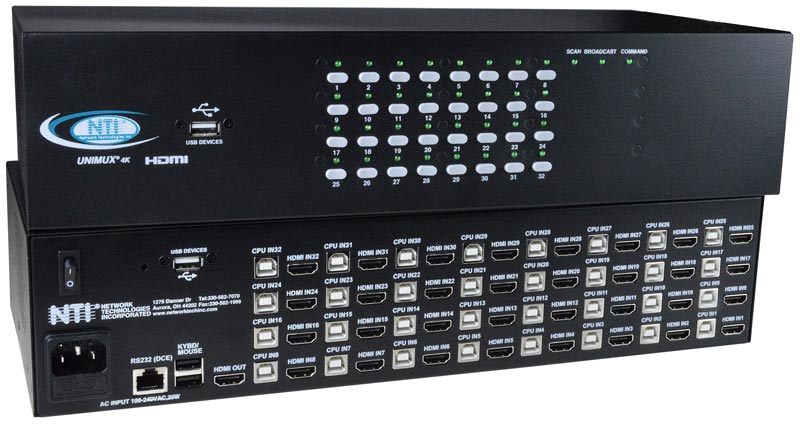
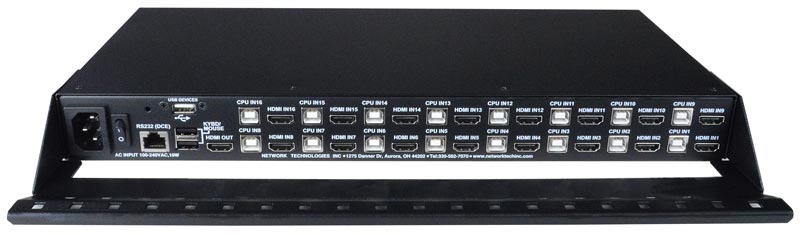
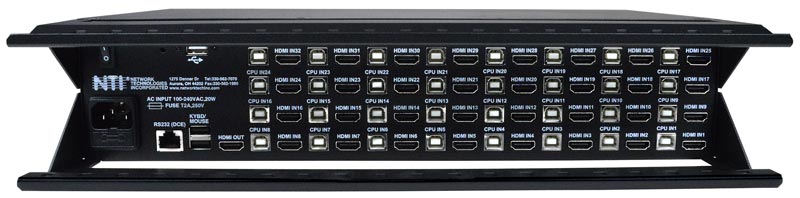
The UNIMUX™ 4K 18Gbps HDMI USB KVM Switch allows a user to control up to 32 HDMI 2.0 Ultra-HD 4Kx2K 60Hz 4:4:4 USB computers with one USB keyboard, USB mouse, and 4K HDMI monitor. Dedicated internal microprocessors emulate keyboard and mouse presence to each attached CPU 100% of the time so all computers boot error-free.
The UNIMUX™ 4K 18Gbps HDMI USB KVM Switch allows a user to control up to 32 HDMI 2.0 Ultra-HD 4Kx2K 60Hz 4:4:4 USB computers with one USB keyboard, USB mouse, and 4K HDMI monitor. Dedicated internal microprocessors emulate keyboard and mouse presence to each attached CPU 100% of the time so all computers boot error-free.
- Supports Ultra-HD 4Kx2K resolutions to 3840x2160 and 4096x2160 @24/30/60Hz RGB/YUV 4:4:4, HDTV resolutions to 1080p @120Hz, and up to 1920x1200 (WUXGA).
- HDMI features supported:
- HDMI 2.0
- Up to 12-bit Deep Color on input and 8-bit on output.
- Dolby TrueHD, DTS-HD Master Audio, Dolby Digital, Dolby Digital+, Dolby Atmos, LPCM 2/5.1/7.1CH, DTS 5.1, and DTS:X
- RGB, YUV 4:4:4, YUV 4:2:2, and YUV 4:2:0
- Bandwidth up to 600 MHz (18Gbps)
- 3D (1080p @60Hz)
- HDR
- HDCP 2.2/1.4 compliant.
- Features NTI's patented true autoboot USB switching – all attached computers can be booted simultaneously.
- Compatible with USB computers (PC and MAC) with HDMI outputs.
- Control the switch through the front panel buttons, keyboard commands, OSD, or RS232.
- Two transparent USB 2.0 ports, in addition to keyboard and mouse ports, for connecting USB devices such as printers, game controllers, USB flash drives, touch screen monitors, whiteboards, etc.
- Supports high-speed (480 Mbps), full speed (12 Mbps), or low speed (1.5 Mbps) USB devices.
- High quality steel construction.
- Flash upgradeable.
- Rackmount kit included.
- Cable management tray included.
Hosts
- Female HDMI-A connectors.
- Female USB Type B connectors.
- Supports USB-enabled computers (PC and MAC) with HDMI video.
- Multiplatform support: Windows 7/8/10/11, Windows Server 2008/2012/2016/2019/2022, Linux, FreeBSD, and MAC OS 10/11/12/13.
- Compliant with HDMI 2.0 and HDCP 2.2/1.4 standards.
Monitor
- Supports Ultra-HD 4Kx2K resolutions to 3840x2160 and 4096x2160 @24/30/60Hz RGB/YUV 4:4:4, HDTV resolutions to 1080p @120Hz, and up to 1920x1200 (WUXGA).
- One female HDMI-A connector.
- Compliant with HDMI 2.0 and HDCP 2.2/1.4 standards.
Devices
- Two female USB 1.1 Type A connectors for keyboard and mouse.
- Supports full-speed (12 Mbps) or low-speed (1.5 Mbps) USB keyboard and mouse.
- Keyboard and mouse are hot-pluggable.
- Supports MAC extra keys.
- Two transparent female USB 2.0 Type A connectors for additional USB devices.
- Supports high-speed (480 Mbps), full-speed (12 Mbps) and low-speed (1.5 Mbps) USB devices including, but not limited to, touchscreens monitors, CAC card readers, printers, scanners, and thumb drives.
Power
- 100 to 240 VAC at 50 or 60 Hz via IEC connector.
| Model | Power (W) |
|---|---|
| UNIMUX-HD4K18GB-4 | 14W |
| UNIMUX-HD4K18GB-8 | 14W |
| UNIMUX-HD4K18GB-16 | 21W |
| UNIMUX-HD4K18GB-24 | 28W |
| UNIMUX-HD4K18GB-32 | 35W |
- The combined current consumption of the connected USB devices cannot exceed 1.0A.
Dimensions
- UNIMUX-HD4K18GB-4/8/16 WxDxH:
- Without supplied rackmount kit: 15.32x6.82x1.75 in (389x173x44 mm)
- With supplied rackmount kit: 19x6.82x1.75 in (483x173x44 mm)
- UNIMUX-HD4K18GB-24/32 WxDxH:
- Without supplied rackmount kit: 15.32x8.19x3.5 in (389x208x88 mm)
- With supplied rackmount kit: 19x8.19x3.5 in (483x208x88 mm)
- Cable tray adds an additional 3" to the depth.
Environmental
- Operating temperature: 32 to 104°F (0 to 40°C).
- Storage temperature: -22 to 140°F (-30 to 60°C).
- Operating and Storage Relative Humidity: 5 to 90% non-condensing RH.
| NTI Part # | Hours |
|---|---|
| UNIMUX-HD4K18GB-4 | 72,851 |
| UNIMUX-HD4K18GB-8 | 68,907 |
| UNIMUX-HD4K18GB-16 | 51,312 |
| UNIMUX-HD4K18GB-24 | 59,041 |
| UNIMUX-HD4K18GB-32 | 47,483 |
Regulatory Approval
- CE, RoHS
- TAA compliant
Warranty
- Two years
Cables
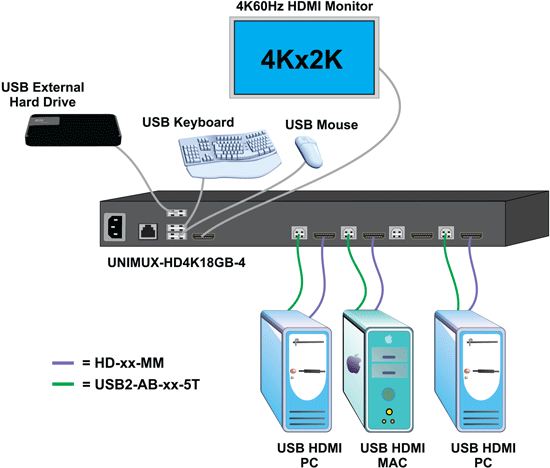
- Interface cables between the computers/display and the switch are required for proper operation. (Cables not included)
- Supports HDMI cable lengths to 10 feet for 4K@60Hz resolutions and 50 feet for 1080p.
- Longer cables can be used provided they have a built-in video equalizer (also known as "active HDMI cables").
- Supports HDMI cable lengths to 10 feet for 4K@60Hz resolutions and 50 feet for 1080p.
- Use HD-xx-MM cable to connect an HDMI computer or display.
- HD-3/6/10-MM supports resolutions to 4K@60Hz.
- HD-15/20/30/50-MM supports resolutions to 4K@30Hz.
- HD-50-MM supports resolutions to 1080p.
- Use HD-ACT-xx-MM 4K HDMI Active Cables to connect an HDMI computer or display up to 100 feet.
- HD-ACT-20/25/30/40/50/60-MM supports resolutions to 4K@60Hz.
- HD-ACT-75/100-MM supports resolutions to 4K@30Hz.
- Use DVI-HD-xM-MM to connect a DVI computer or display up to 5 meters.
- Supports resolutions to 1080p.
- Use DP-HD-xx-MM to connect a DisplayPort computer up to 10 feet.
- Supports resolutions up to 4k@30hz 4:4:4 and 4K@60Hz 4:2:0.
- Use USB3C-HD4K-xx-MM to connect a 4K@60Hz computer with USB Type C connector up to 10 feet.
- Use a USB2-AB-x-5T male USB Type A to male USB Type B interface cable to connect a USB computer to the switch.
- 5-foot (1.5-meter) CAT5e patch cable and RJ45F-DB9F adapter included for RS232 control.
Compatible NTI Products
- Combine NTI's extenders, switches, splitters and cables for complex applications.
- Ultra Low-Cost VGA + Audio to HDMI Converter Cable (VGAA-HD-ULC)
- Use to connect VGA PC to switch.
- VGAA-HD-ULC is not hot-pluggable – PC will need to be restarted.
- Ultra Low-Cost VGA + Audio to HDMI Converter Cable (VGAA-HD-ULC)
Front Panel Interface
- LEDs indicate currently selected port and mode of operation.
- Hold in any button for more than five seconds to go into Scan, Broadcast or Command Mode.
- In Normal Operating Mode, the user can directly operate the selected computer with transparent presence of the NTI switch.
- Scan Mode automatically and sequentially displays the video from each powered on computer for 5-255 seconds.
- Broadcast Mode allows the user's keystrokes to be sent to all powered on computers. (Broadcast Mode is not available for MACs.)
- Command Mode allows the user to give instructions to the switch through his/her keyboard. Keystrokes are not passed to the computer.
Keyboard
- Scan, Broadcast and Command Modes are available from the keyboard using hot keys.
- Use the keyboard to command the switch box to select ports or configure the Scan delay.
- Type <Ctrl>+<`> to go into Command Mode.
- Press <Esc> to leave Command Mode and return to Normal or Scan Mode.
RS232 Control
- Female RJ45 connector.
- Baud rate: 1200 to 115200.
- Commands
- CS – connect output (user) port to specific input (CPU) port.
- CB – change baud rate.
- RO – reads what input is connected to the output.
- RU – reads unit size.
- RV – return firmware version.
On Screen Display (OSD)
- Select computers by name with the On Screen Display (OSD).
- Use keyboard or mouse to operate the switch from menus superimposed onto the monitor.
- Names can be up to 30 characters long.
- Help screen assists user with the OSD.
- OSD is built into the switch – no need to install additional hardware or software.
- OS and software-independent.
User Manual:
Data Sheet:
Firmware:
Application Drawings
-
4K 18GB HDMI USB KVM Switch
Testimonials
-
"NTI’s UNIMUX-HD4K18GB-32 KVM switch is of great quality. Any needed troubleshooting is met with quick response."
Sam S.Crystal Group / Crystal RuggedHiawatha, IA
registered trademarks of HDMI Licensing LLC in the United States and other countries.
Network Technologies Inc |
 |