Video Matrix Switch
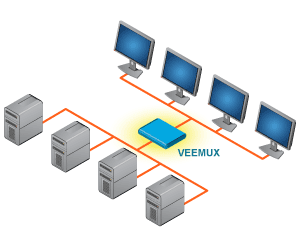 |
Switch audio and video from many computers among multiple monitors and speakers.Also known as: audio/video matrix switch via CAT5, video router, routing switcher, video switch, CAT5 video port router, matrix switch, audio/video switch, video matrices. |
Video Type: HDMI | DVI | VGA
4K 18Gbps HDMI Video Matrix Switch: 16x16, 32x32
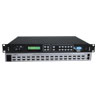
$7,270 - $11,850Part #: SM-nXm-HD4KThe VEEMUX® 4K HDMI Video Matrix Switch routes digital 4Kx2K HDMI video and embedded audio signals from up to 32 HDMI video sources (computers, Blu-Ray players, satellite receivers, etc) to up to 32 displays (monitors, 4K TV's, projectors, etc). | 
Low-Cost 4K 18Gbps HDMI Video Matrix Switch: 4x4, 8x8
$585 - $1,645Part #: SM-nXm-4K18GB-LCV2The VEEMUX® Low-Cost 4K HDMI Matrix Switch routes digital 4Kx2K 60Hz 4:4:4 18Gbps HDMI video and audio signals from up to eight HDMI video sources (computers, Blu-Ray players, satellite receivers, etc) to up to eight displays (monitors, 4K TV's, projectors, etc). |
4x4 HDMI Multiviewer / Video Matrix Switch / Video Wall Processor
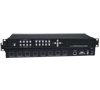
$2,160Part #: SPLITMUX-4X4-HDVWCThe SPLITMUX® 4x4 HDMI Quad Screen Multiviewer is a multi-purpose high-speed video processing system that can be configured for three different output modes. In Multiview Mode, it is capable of displaying the four video sources in quad, PiP, or full screen display modes, with all four monitors simultaneously displaying the same image. In Matrix Mode, digital HDMI video and embedded audio signals are routed from four HDMI video sources to four displays. In Video Wall Mode, video from a single source is displayed across all four monitors (2x2 video wall). |
Low-Cost HDMI Over Gigabit IP Extender up to 394 Feet - Supports Many-to-Many Connections
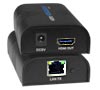
$95 - $195Part #: ST-IPHD-LCThe XTENDEX® Low-Cost HDMI Over Gigabit IP Extender multicasts digital video and audio signals to one or more receivers up to 330 feet away over a 1000Base-T Gigabit Network connected with CAT5e/6 cable. Each Low-Cost HDMI Over Gigabit IP Extender consists of a local unit that connects to an HDMI source, and a remote unit that connects to an HDMI display. Use with cascaded network switches to extend up to 1,000 feet. Supports Point-to-Point, Point-to-Many, & Many-to-Many connections. |
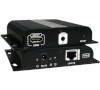
Low-Cost HDMI Over Gigabit IP Extender with IR and Power Over Ethernet (POE) to 394 Feet - Supports Many-to-Many Connections
$155 - $310Part #: ST-IPHD-POELC-V4The XTENDEX® Low-Cost HDMI Over Gigabit IP Extender with IR and POE multicasts digital video and embedded audio signals to one or more receivers up to 394 feet away over a 1000 Base-T Gigabit Network connected with CAT6/6a/7 cable. Each Low-Cost HDMI Over Gigabit IP Extender with IR and POE consists of a local unit that connects to an HDMI source, and a remote unit that connects to an HDMI display. Use with cascaded network switches to extend the length long distances. Supports Point-to-Point, Point-to-Many, & Many-to-Many connections. |
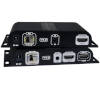
Low-Cost HDMI Extender Over IP via One LC Singlemode/Multimode Fiber Optic Cable – Supports Many-to-Many Connections
$380Part #: ST-IPFOHD-LC-ULCThe XTENDEX® HDMI Extender Over IP via Fiber Optic Cable transmits digital video, embedded audio, and IR signals up to 24.8 miles (40 kilometers) away from an HDMI source using a single LC singlemode fiber optic strand or 984 feet (300 meters) using OM3 LC multimode fiber optic cable. Supports Point-to-Point, Point-to-Many, & Many-to-Many connections. |
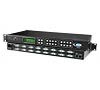
DVI Video Matrix Switch
$1,455 - $6,720Part #: SM-nXm-DVI-LCDThe VEEMUX® DVI Video Matrix Switch routes video from up to 32 single link digital DVI video sources (computers, DVD players, satellite receivers, etc.) to up to 32 displays (LCD monitors, Plasma screens, DLP HDTVs, projectors, etc.). |
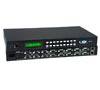 VGA Video Matrix Switch
$1,185 - $7,655Part #: SM-nXm-15V-LCThe VEEMUX® SM-nXm-15V-LCD Video Matrix Switch is designed to simplify the task of routing video inputs from many computers to multiple displays (projectors, monitors, etc.). |
Network Technologies Inc |
 |