Products » Video Matrix Switches » VGA Video Matrix Switch
Firmware files for Video Matrix Switches via CAT5
Product firmware updates, file upgrades, release notes.
Talk to a live agent
Phone available
8am-6pm EST
Video Matrix Switches
Firmware Files for the VEEMUX Video Matrix Switches via CAT5
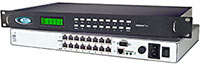
SM-16X16-C5AV-LCD
VEEMUX® SM-nXm-C5AV-LCD - The Audio/Video Matrix Switch via CAT5 works with NTI's 600 foot CAT5
transmitters and receivers to create a high performance audio/video signal routing system with a maximum extension of 600 feet between the
local and remote units. Crisp and clear 1024x768 resolution is supported at 600 feet; higher resolutions, up to 1920x1440, are supported at
shorter distances.
Downloads & References
| Firmware Version | Firmware Download | Release Notes | Release Date |
|---|---|---|---|
| 1.20 | v1-20.bin (648 KB) |
veemux-eth-ctrl-r (3 KB) |
2013-03-27 |
Note: To download Firmware updates, right click the update link and select
'Save Link As' or 'Save Target As'. Make sure that the file is saved with the correct file extension.
| Program Version | Program Download | Installation Instructions | Release Notes | Release Date |
|---|---|---|---|---|
| 3.2 | setup.zip (1.3 MB) |
switch-control-program-install.txt (1K) |
switch-control-program-rls (1 KB) |
switch-control-program-rls (1 KB) |
| Discovery Tool Version | Discovery Tool Zip File Download | Release Date |
|---|---|---|
| 1.0 | discovery.zip (145 KB) |
2014-01-31 |
Network Technologies Inc |
 |