Legacy Enterprise Environment Monitoring System
Product firmware updates, file upgrades, release notes.
Monitor and manage server room environmental and security conditions over IP. Provides early warnings before critical events turn into disaster.
Legacy Enterprise Environment Monitoring System
Firmware Files for ENVIROMUX-SEMS-16
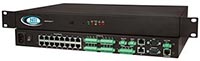
ENVIROMUX-SEMS-16
ENVIROMUX-SEMS-16 - The ENVIROMUX® Enterprise Environment Monitoring System monitors critical environmental conditions, such as temperature, humidity, liquid water presence, power, intrusion, and smoke. When a sensor goes out of range of a configurable threshold, the system will notify you via email, LEDs, alarm beacon, siren, web page, network management (SNMP), voice phone calls (via Automatic Voice Dialer System), and SMS messages (via external USB 3G modem).
IMPORTANT: Please verify your installed firmware version before continuing with any firmware updates. If your installed firmware is 2.8 or lower you must upgrade to firmware version 3.1 and then update the bootloader to version 2.0 before updating the firmware to version 4.5 or greater.
Without this verification you will damage your unit and will have to return it to NTI for repair.
To find your currently installed firmware version on the unit: SEMS Web Interface » Administration » Advanced » Update Firmware. If your installed firmware is 3.1 or newer you don't need to upgrade your bootloader. Updating to firmware version 4.5 or greater requires that your bootloader be version 2.0.
Without this verification you will damage your unit and will have to return it to NTI for repair.
To find your currently installed firmware version on the unit: SEMS Web Interface » Administration » Advanced » Update Firmware. If your installed firmware is 3.1 or newer you don't need to upgrade your bootloader. Updating to firmware version 4.5 or greater requires that your bootloader be version 2.0.
Note: To download Firmware updates, right click the update link and select
'Save Link As' or 'Save Target As'. Make sure that the file is saved with the correct file extension.
Firmware Files for ENVIROMUX-SEMS-16 — Version 3.x
| Firmware Version | Firmware Download | Release Notes | Release Date |
|---|---|---|---|
| 3.1 | image-sems-16-v3-1.bin (1.02 MB) |
enviro-sems-16-rls (13.7 KB) |
2009-10-09 |
Firmware Files for ENVIROMUX-SEMS-16 — Version 4.x
| Firmware Version | Firmware Download | Release Notes | Release Date |
|---|---|---|---|
IMPORTANT: Make sure your ENVIROMUX-SEMS-16 firmware is at version 3.x before upgrading to version 4.5. If not, upgrade to firmware version 3.1 and follow the bootloader update instructions found at the bottom of this web page. Once the bootloader is upgraded, it is safe to upgrade to version 4.5 | |||
| 4.8 | image-sems-16-v4-8.bin (1.09 MB) |
enviro-sems-16-rls (13.7 KB) |
2013-09-20 |
| 4.5 | image-sems-16-v4-5.bin (1.09 MB) |
2012-04-27 | |
Firmware Files for ENVIROMUX-SEMS-16U — Version 4.x
| Firmware Version | Firmware Download | Release Notes | Release Date |
|---|---|---|---|
IMPORTANT: Before updating with this firmware, insure that the ENVIROMUX unit you are updating has a USB port on the front of the unit. Failure to do so will result in non-USB units becoming inoperable.
|
|||
| 4.8 | image-sems-16u-v4-8.bin (1.09 MB) |
enviro-sems-16-rls (13.7 KB) |
2013-09-20 |
| 4.5 | image-sems-16u-v4-5.bin (1.09 MB) |
2012-04-27 | |
| MIB Version | MIB Download | MIB Release Notes | MIB Release Date |
|---|---|---|---|
| 1.11 | sems-16-v1.11.mib (151 KB) |
enviro-sems-16-mib-rls (1.9 KB) |
2010-12-09 |
| Bootloader Version | Bootloader Download | Bootloader Release Notes | Bootloader Release Date |
|---|---|---|---|
| 2.0 | rom-semsbtldr-2.bin (61 KB) |
e-sems-bootloader.pdf (233 KB) |
2009-10-09 |
| Discovery Tool Version | Discovery Tool Zip File | Discovery Tool Release Date |
|---|---|---|
| 1.0 | discovery.zip (14 KB |
2004-10-29 |
Network Technologies Inc |
 |